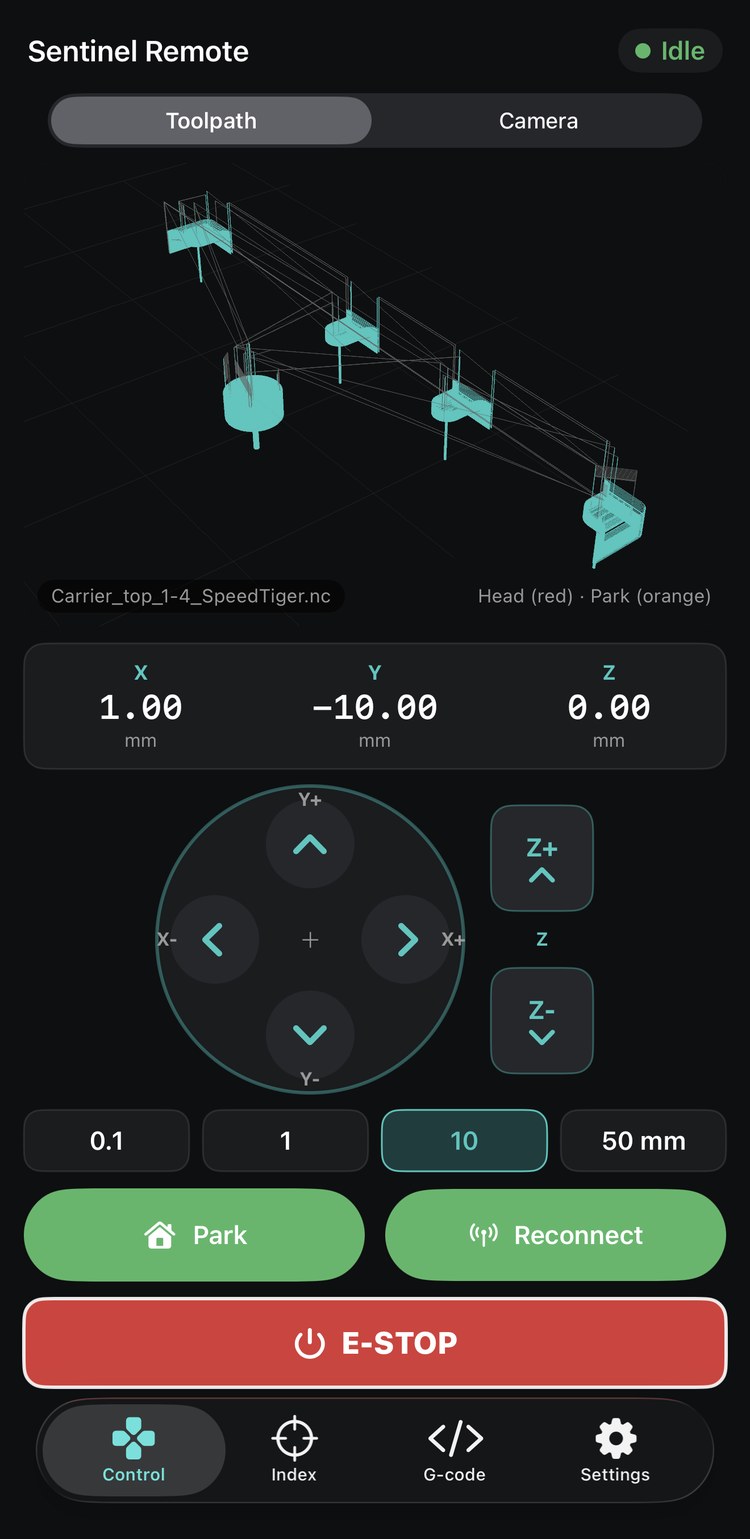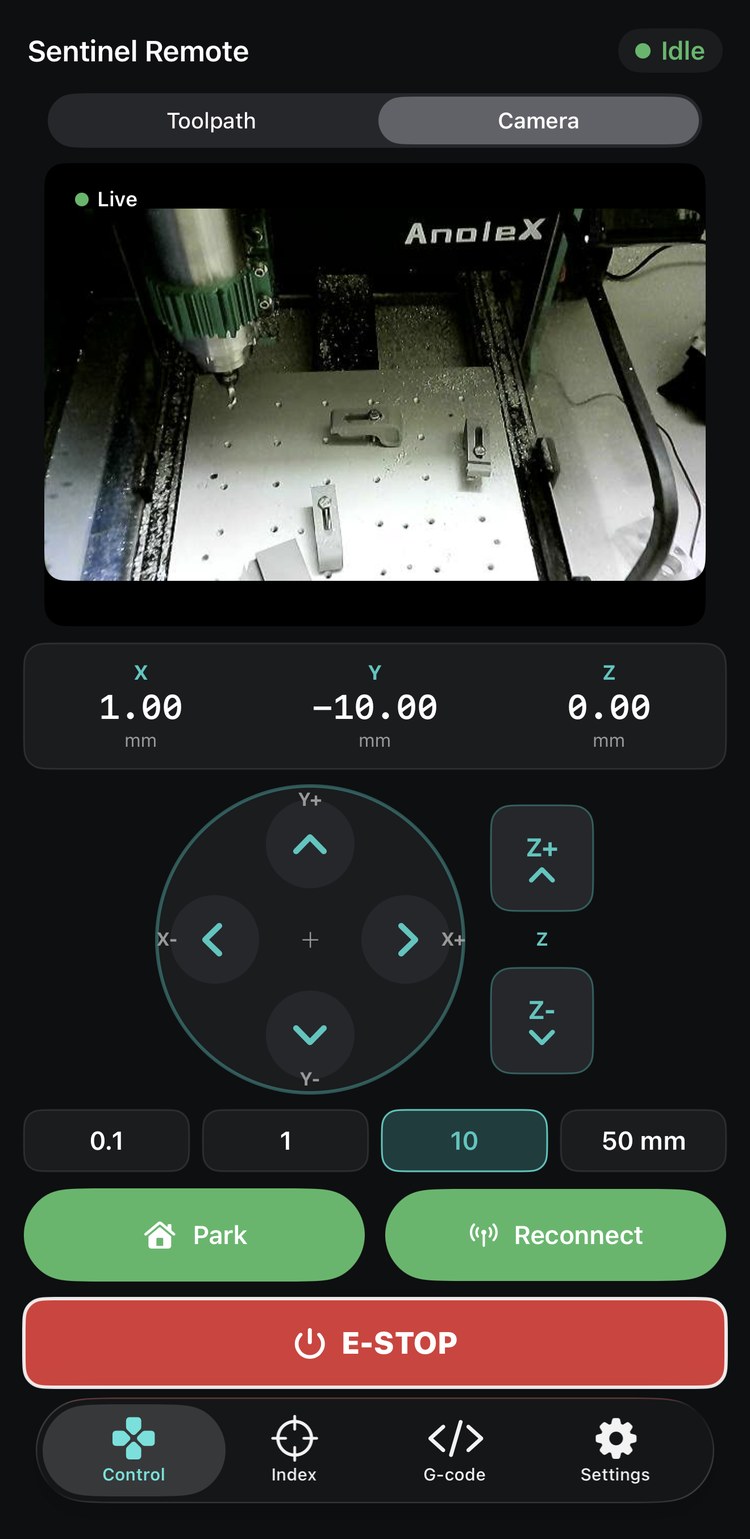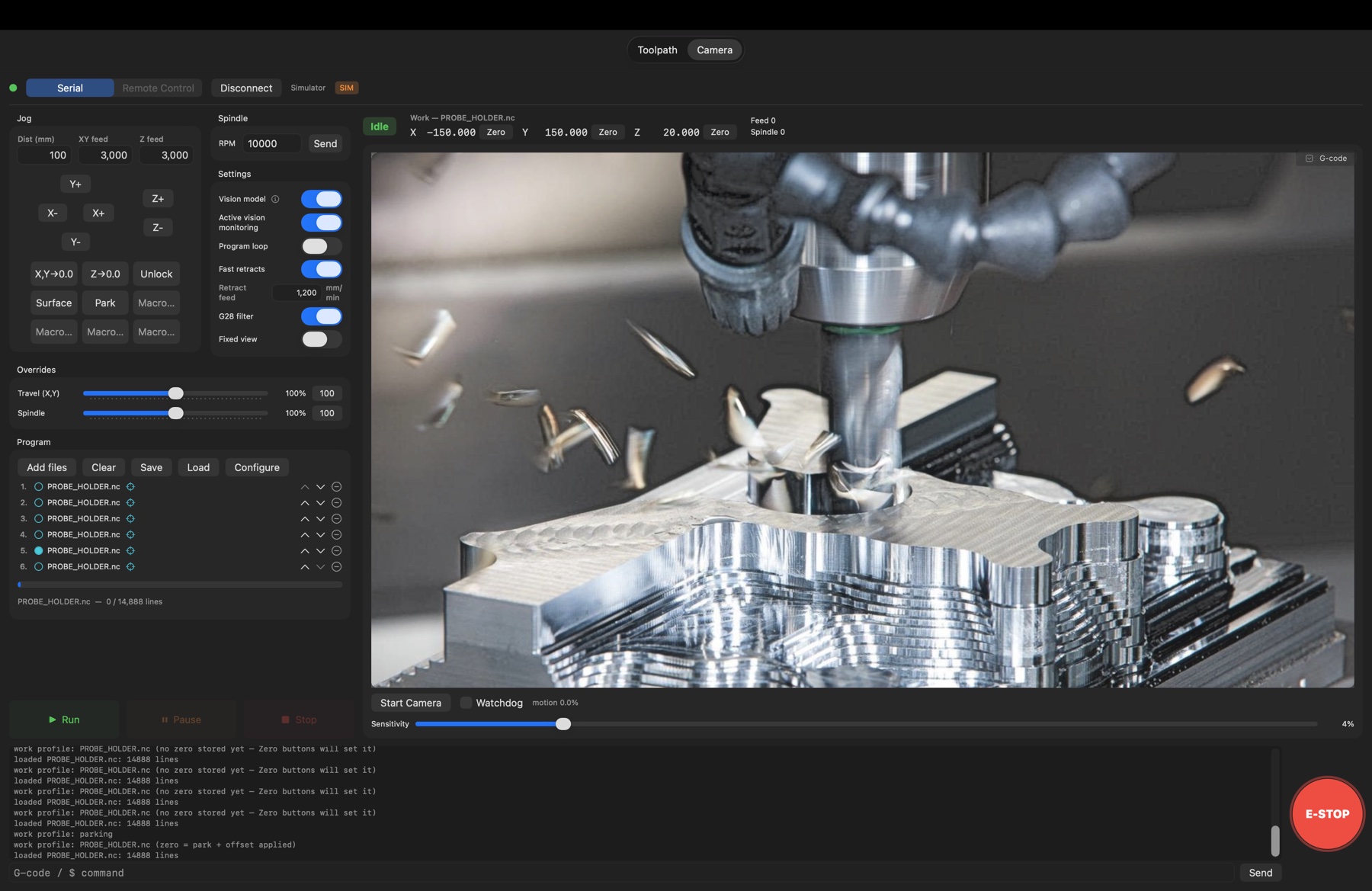

Stream G-code, jog, and run multi-file production cycles with IO automation — while a local vision model confirms every setup and an AI agent stands one command away from the feed-hold. Everything runs on your network. Nothing leaves it.
Run lights-out automation on a machine that fits on a workbench. Mill PCBs with confidence — mesh-compensated Z makes isolation routing on thin copper practical, not a gamble. Tuned for hobbyist routers and micro mills — imperfect frames, no homing switches, no big-iron budget — and the same platform drives industrial-grade equipment just as comfortably: if it speaks grblHAL, GCode Sentinel runs it — and support for more CNC controllers is in the works.
swiftc build
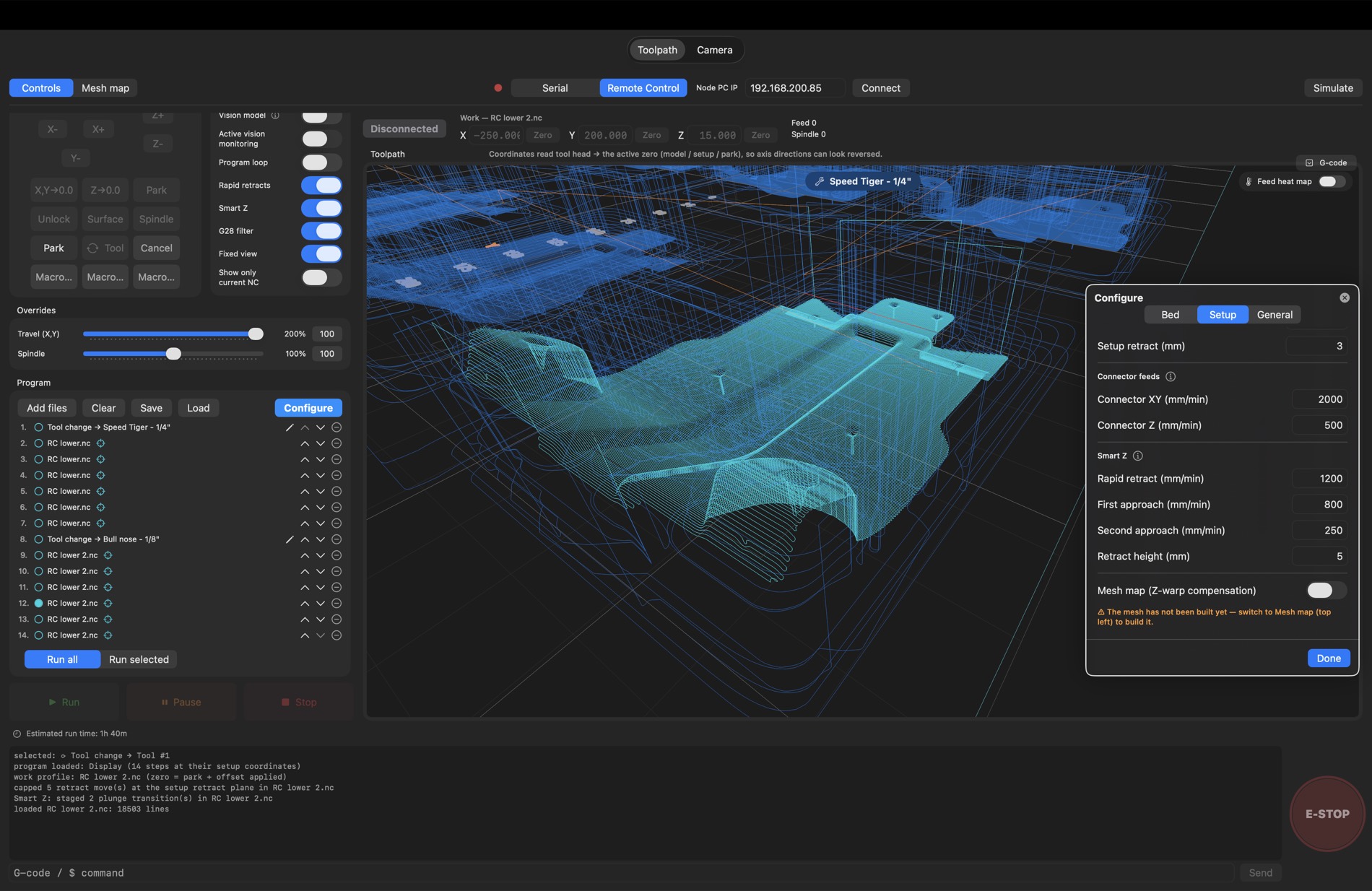
Stop merging parts into one monolithic G-code file. Load the same .nc as many
times as the bed allows — each instance carries its own work zero, stored as
an offset from the parked origin. Arrange parts where the clamps are, not where CAM put them.
Move the park, and the entire nest follows.
Click a file, zero it where it sits — done. Zeros live as deltas off the parked origin, so re-zeroing the park shifts the whole nest together. One CAM export runs at six positions.
CAM's lazy Z pull-outs are rewritten to your retract feed at send time, and a clearance plane is injected between models — the yellow transition paths you see on the bed. Plunges stay sacred.
Flip Loop and the machine runs itself: scripted steps swap the finished part for the next blank — vacuum, clamps, loading arm — the vision model confirms the reload, and the bed starts over. Continuous operation, no one standing at the machine.
Save bundles the files, every zero, loop state, overrides, and bed setup into one program folder. Load it next month and it re-anchors to wherever park is that day.
G10 offsets and retract moves.Hobbyist machines lie about Z. Spoilboards sit a few tenths out of tram, gantries sag mid-span, extrusions twist, and MDF moves with the weather. Mesh mapping measures the bed you actually have — then compensates every cut against it, so a 0.2 mm engrave is 0.2 mm in the far corner too, not air on one side and a trench on the other.
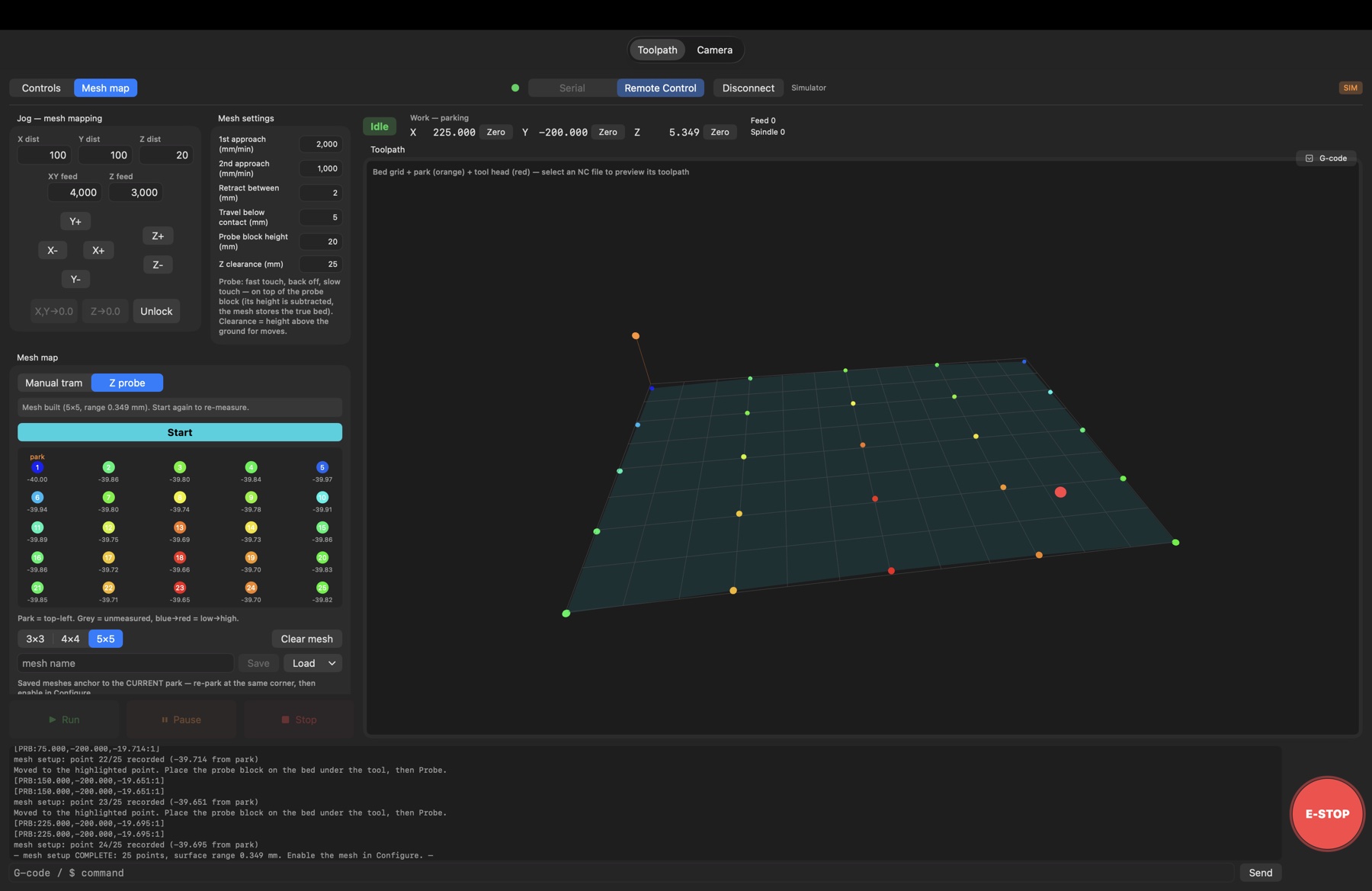
Pick 3×3, 4×4, or 5×5 — the head walks point to point while the app talks you through it. Every point gets a two-touch probe: fast contact, back off, slow re-touch for repeatable numbers. The probe block's height is subtracted, so the mesh stores the true bed.
The measured surface renders in the 3D view, blue to red, low to high — you see the sagging rail or proud corner instantly, with the total range read out (0.349 mm on this bed) before you commit to a cut.
Enable the mesh and Z follows the measured surface instead of the imaginary flat one — consistent engrave depth across the whole sheet, surfacing passes that skim evenly, V-carves that don't fade out halfway.
Meshes save by name and anchor to the parked zero — re-park at the same corner next week, load the mesh, cut. A manual tram mode covers setups without a probe, and Clear wipes it when you resurface the board.
A full machine-control cockpit, built native in SwiftUI. No Electron, no runtime, no waiting.
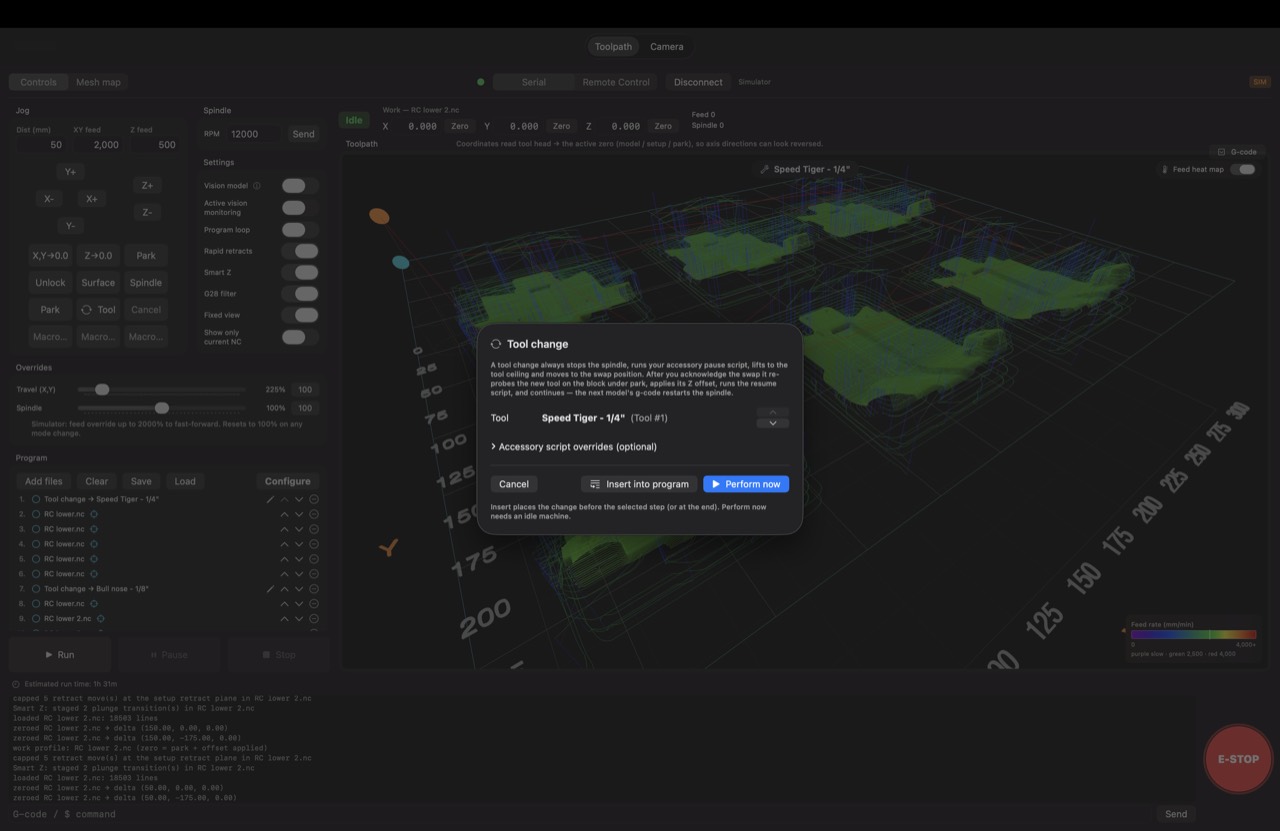
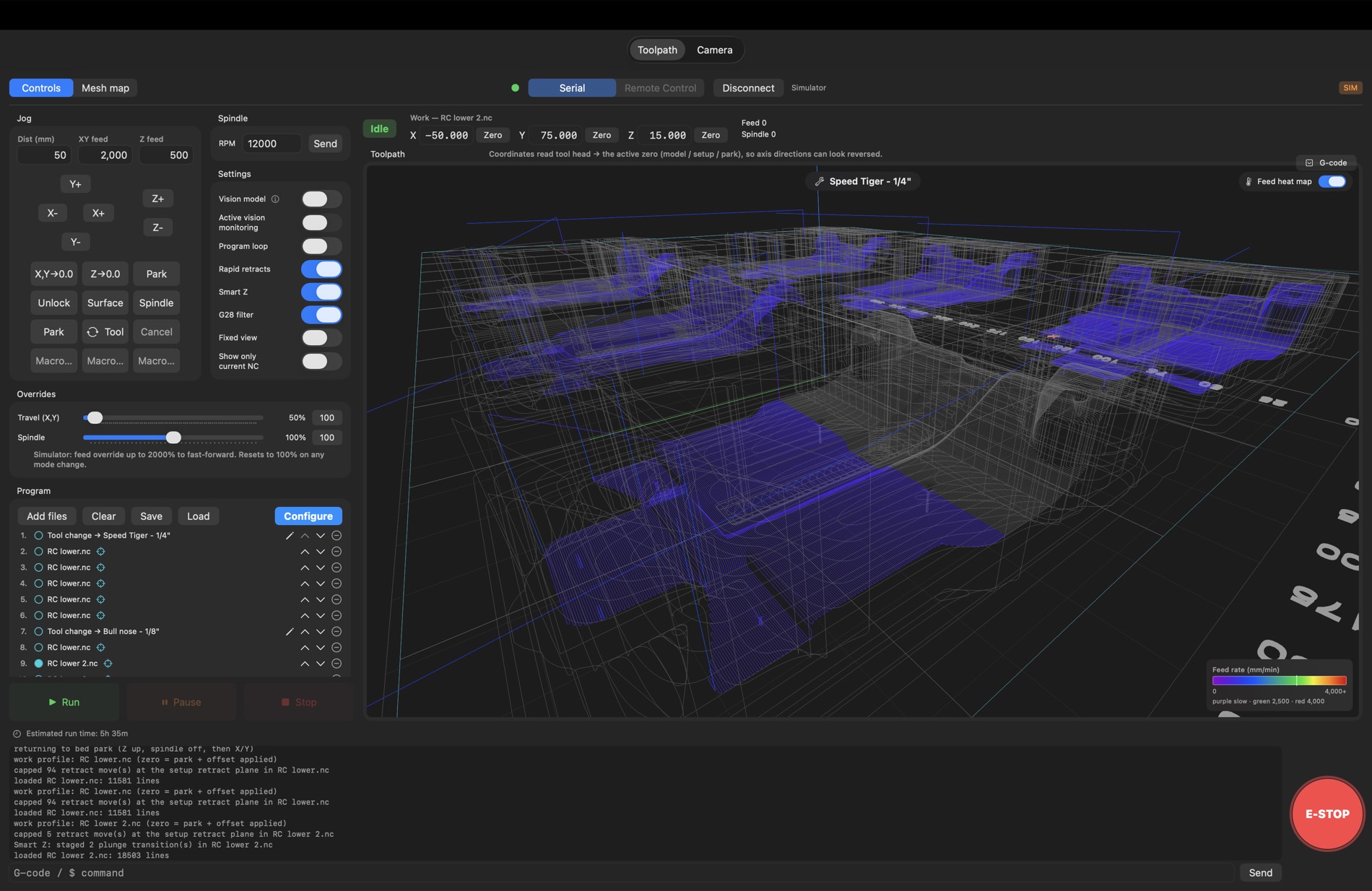
SceneKit view of every feed and rapid, with a live tool marker tracking real machine position. Finished passes dim as the job streams — 350k-segment files stay smooth.
A virtual grblHAL lives inside the app. Jog it, stream programs, run full cycles — motion modeled at commanded feed, identical control paths to real hardware.
Queue cuts and script steps in order, loop for the next blank. Scripts drive vacuum, clamps, a loading arm — lights-out runs with a vision check before every cut.
A local Qwen3-VL model (≈2.8 GB, llama.cpp) answers questions about the camera frame. If it can't confirm the setup, the cycle feed-holds instead of cutting.
Flatten stock in seconds: area, depth, bit, overlap, raster direction. Generates a serpentine program with finishing pass, previews it in 3D, queues it like any file.
Five macro slots take plain G-code, IO commands, waits — or full JavaScript with live machine state. A spindle toggle is one line of JS.
Out of the box, the Mac drives the machine directly over USB serial. When the machine lives elsewhere, an optional sender agent on a PC at the controller keeps the streaming loop machine-side while your Mac — and your AI — drive it over LAN or VPN.
Relay outputs for vacuum, lights, clamps, mist; debounced fault inputs for driver alarms, doors, e-stop. Incoming signals can feed-hold the CNC on their own.
Travel and spindle 0–200% mid-cut, applied at send time. Change spindle override mid-job and the commanded S is re-issued live. Z-only plunges are never scaled — plunge speed is sacred.
GCode Sentinel ships an MCP server exposing ~40 machine-control tools. Claude — or any MCP-capable agent — can check status, jog, zero, generate surfacing programs, build and run cycles, flip IO relays, interrogate the camera, and hit the e-stop.
Between every step of an automated cycle, a VISION line asks a local
vision model to confirm what the camera sees. Wrong answer? The machine feed-holds
and the cycle stops — nothing cuts on a bad setup.
The model runs on your Mac via llama.cpp — about 2.8 GB of RAM, loaded only while the vision switch is on. A frame-difference motion watchdog backs it up, auto-feed-holding the moment something moves that shouldn't.
# Side A — load, clamp, verify, cut
IO vacuum_on
IO clamp_on
WAIT 1
VISION Is the blank seated against both stops
with the clamp fully closed?
# ── model must answer YES, or the cycle
# feed-holds right here ──
G0 X0 Y0
M3 S12000
If you can phrase it as a question, the sentinel can stand guard over it:
Vision-gated cycle checks run today; continuous active monitoring is in development.
Every link in the chain runs on hardware you own. The AI, the vision model, the streaming loop — all of it stays inside your walls.
And the rule the manual leads with: software stops are conveniences — wire a physical e-stop.
Put a sentinel on your machine — native macOS · grblHAL · runs entirely on your network.